
Resource Hub
Welcome to the Safewatch Resource Hub
This page provides helpful resources to support you in getting the most out of Safewatch, whether you’re using it for your own wellbeing or helping to care for someone else. From quick-start guides to tips and best practices, these materials are designed to make Safewatch easy to use and meaningful in your daily life.
Discover how to track progress, stay connected, and strengthen communication between you and those you support. Check back regularly for new resources and updates tailored to your needs.

Getting Started
It takes less than 2 minutes to get started using Safe Watch®. Watch how to download, log your feelings and build your village connections.
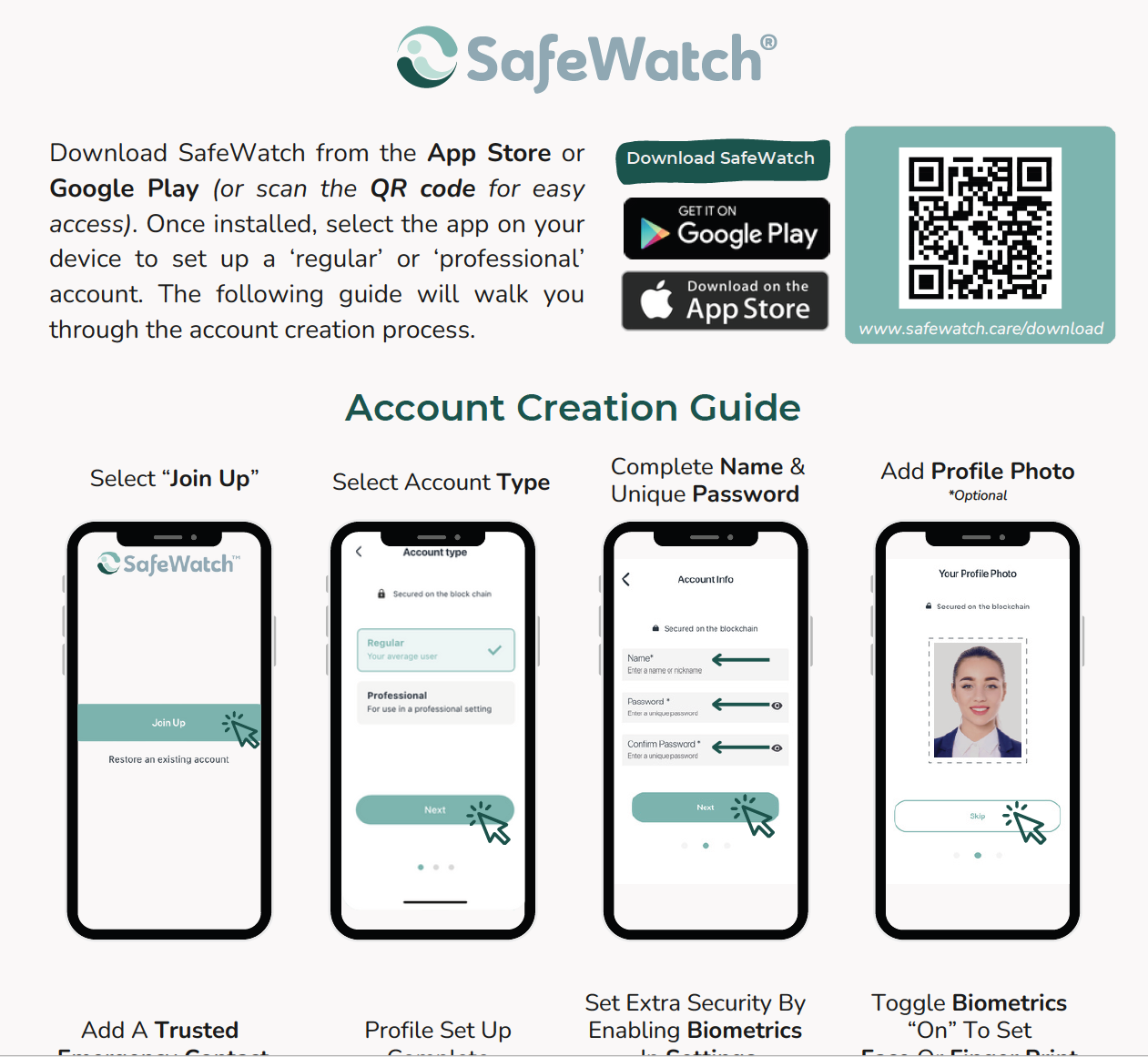
Setting Up
Our quick guide will walk you through the easy set up process so that you can create your account and get started with SafeWatch.
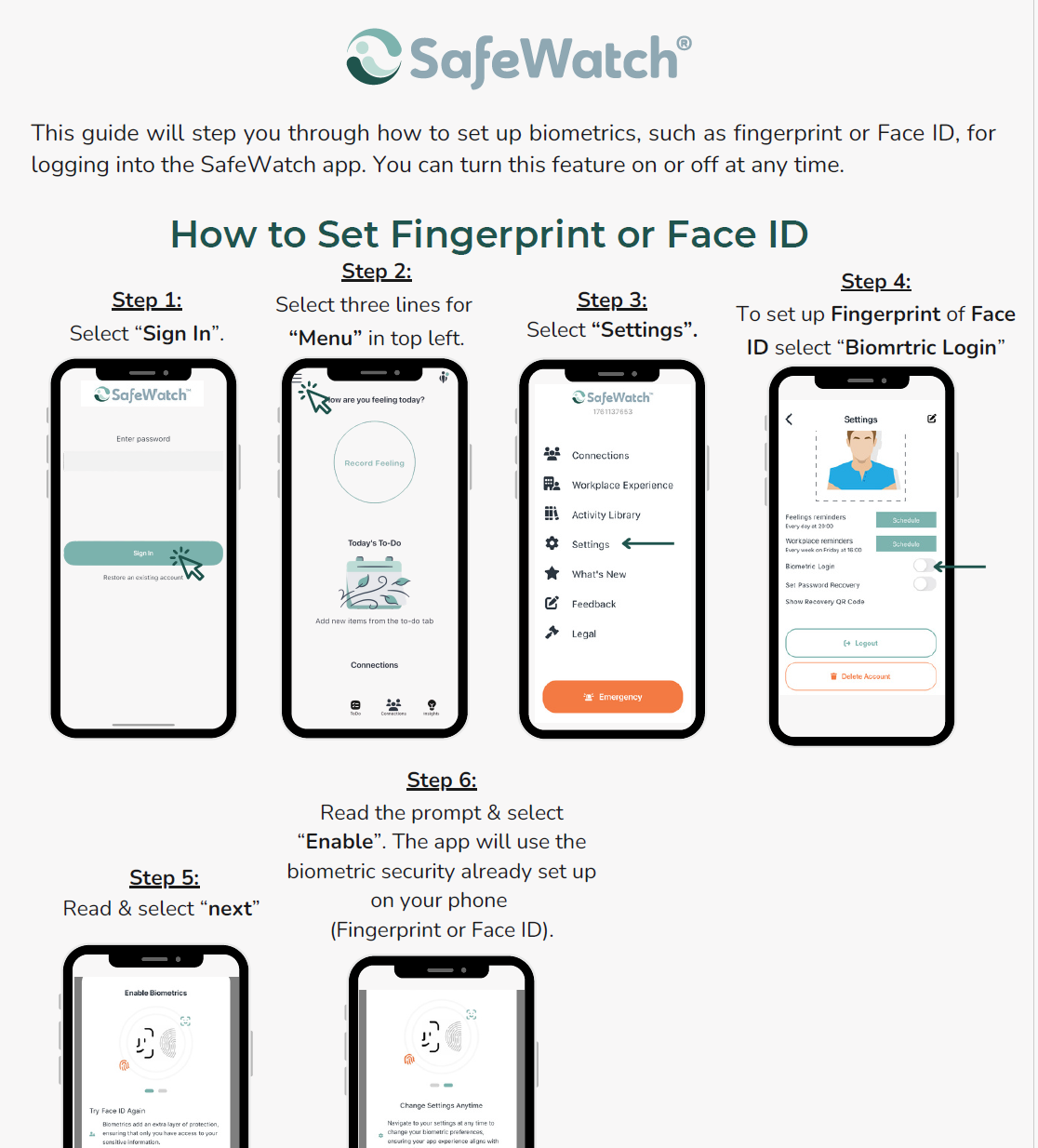
biometrics
This guide will walk you through how to set up biometrics, such as fingerprint or Face ID, for logging into the SafeWatch app. You can turn this feature on or off at any time. Download this guide below.

Connecting
This how-to connect guide will walk you through how to start building your village using QR codes.
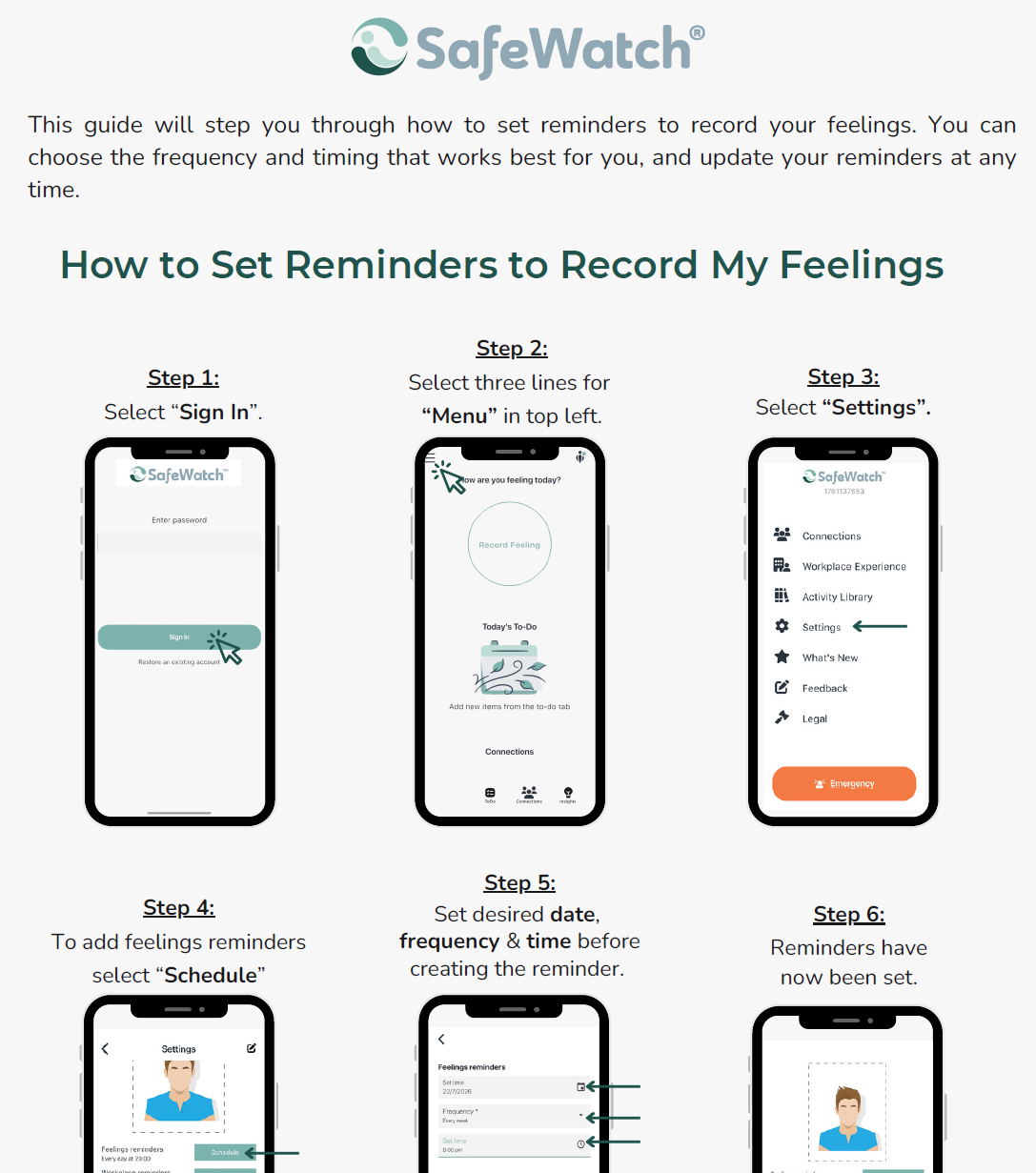
Reminders
This guide will step you through how to set reminders to record your feelings. You can choose the frequency and timing that works best for you, and update your reminders at any time.

Sharing
Control what your trusted care network can access, from your activity updates to emotional progress and more. Your privacy is always in your hands. Learn how in this SafeWatch guide.
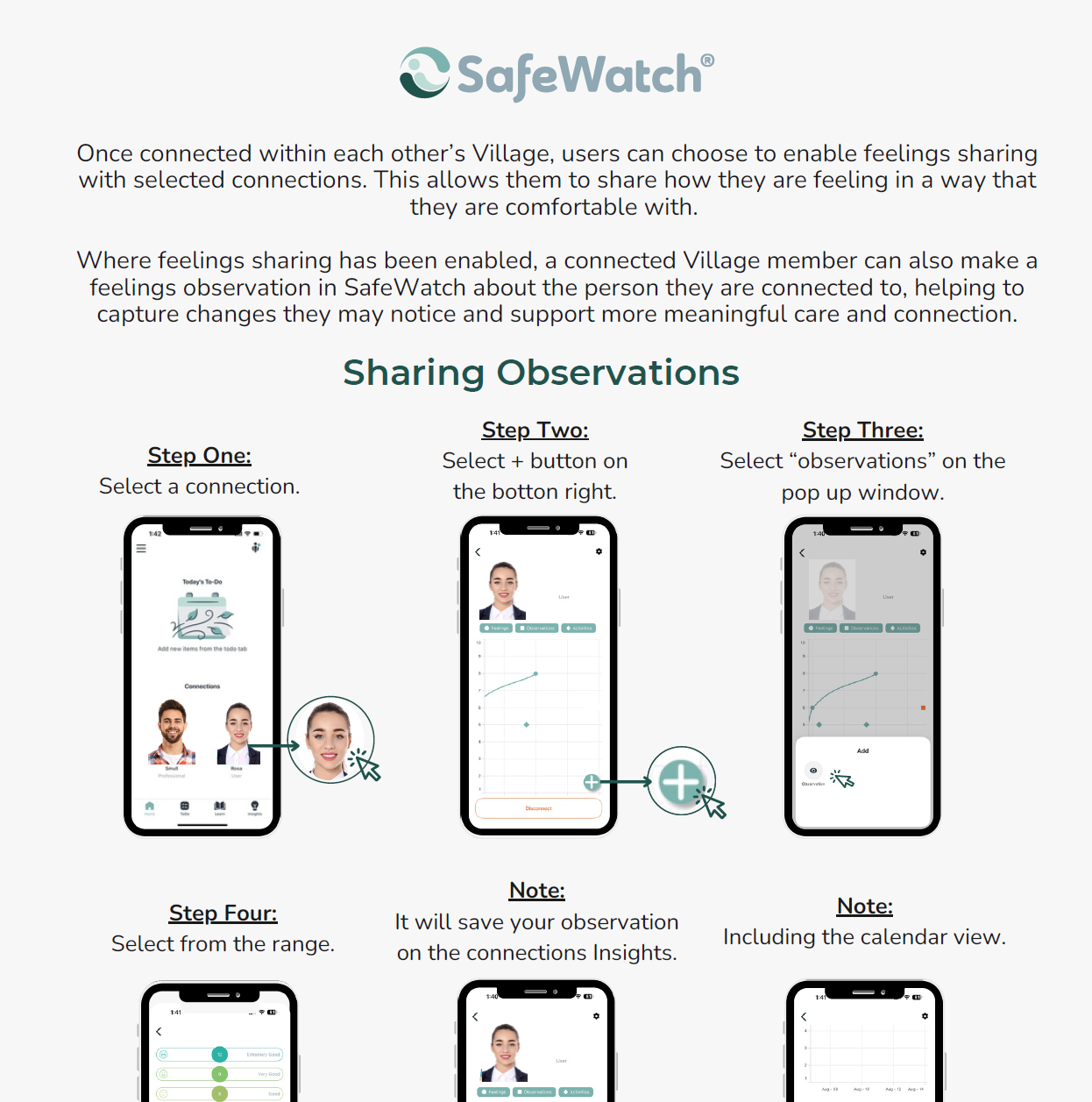
Observations
Once connected within each other’s Village, users can choose to enable feelings sharing with selected connections. This allows them to share how they are feeling in a way that they are comfortable with. Learn more with this guide.

Set Activities
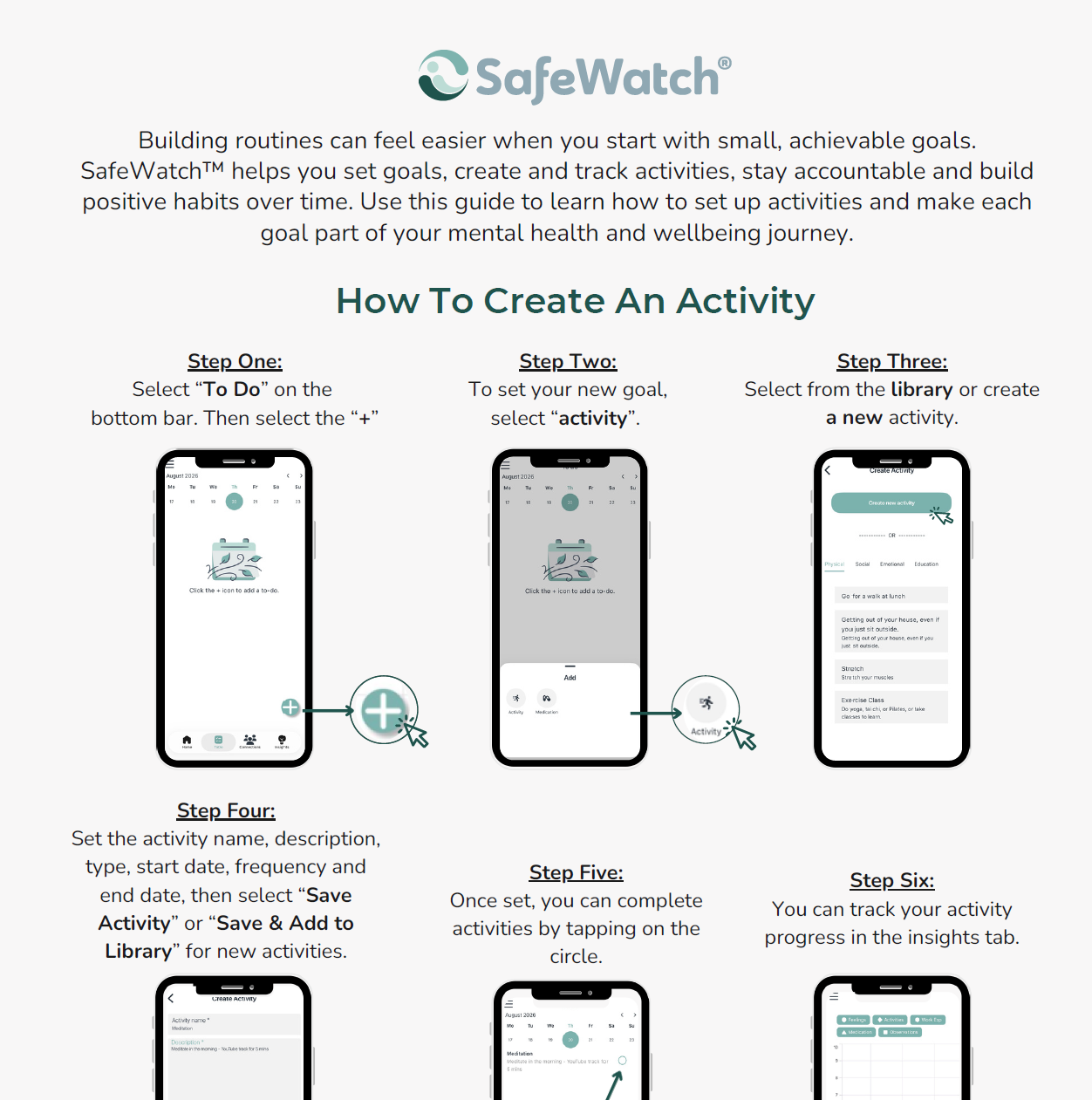
Ease into routines with small goals. SafeWatch™ helps you set and track activities. View a short guide on how to create and set activities in SafeWatch.
Set Activities
To complement the video guide, this written handbook provides step-by-step instructions to help you create an Activity in SafeWatch™.
Recovery QR
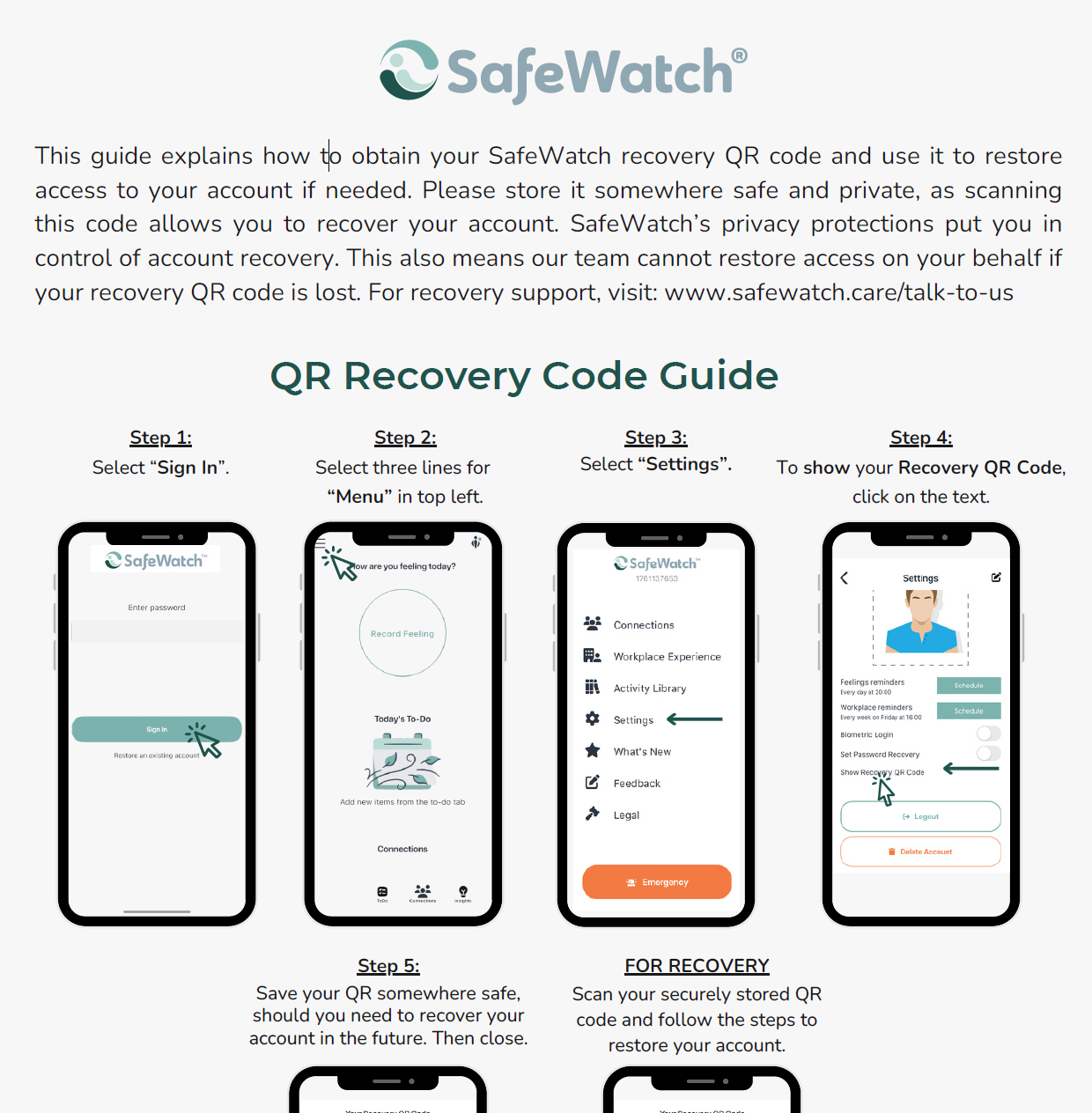
This written guide provides step-by-step instructions to help you save your recovery QR code in SafeWatch™.